
Welcome to Grupos Inteligentes: How to Get Started
Congratulations on choosing Grupos Inteligentes! You’re about to automate lead distribution for your WhatsApp groups and save hours of your time.
What You Will Create Today
We will create a smart link that will:
- Receive visitors from multiple sources (ads, Instagram, email)
- Direct each person automatically to a WhatsApp group with available slots
- Prevent leads from finding full groups
Before You Start
Prepare what you need:
- WhatsApp groups created - You need invite links for at least one group
- Objective defined - Determine where you want to send traffic (sales groups, support, etc.)
Get Started in 3 Quick Steps
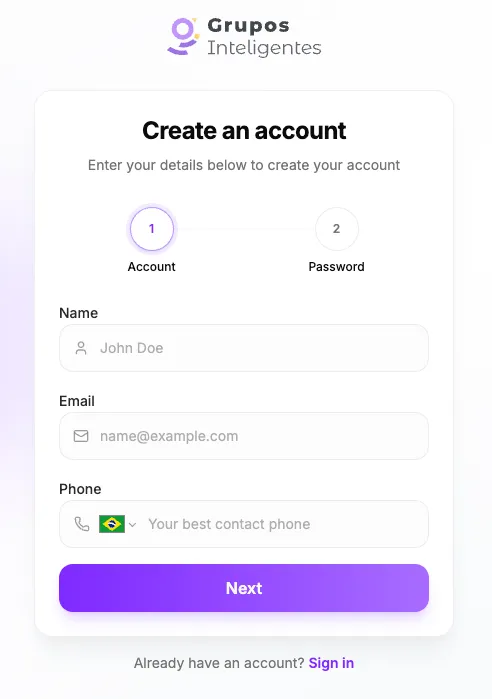
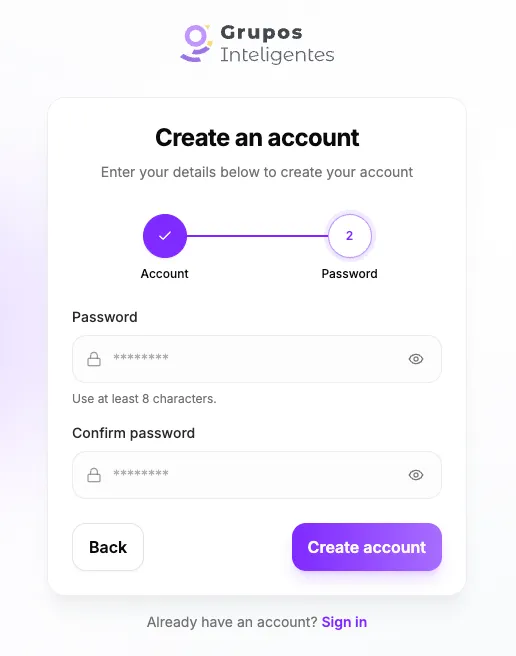
Step 1: Create Your Account
If you don’t have an account yet, access the Grupos Inteligentes Dashboard and sign up. The process takes just 2 minutes.
Step 2: Create Your First Redirector
A redirector is the “smart bridge” between your traffic and WhatsApp groups.
- On the main Dashboard, click Redirectors.
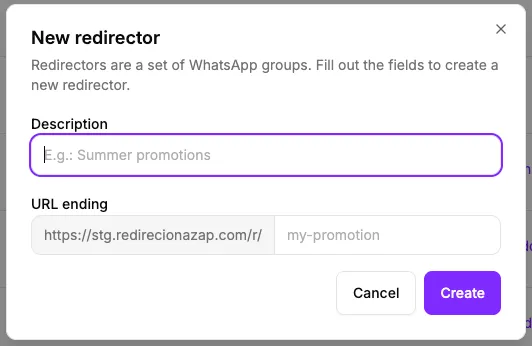
- Click New redirector.
- Fill in the information:
- Description: An internal name (e.g., “Black Friday 2026 Launch”)
- URL suffix: The last part of the link to be created (e.g., “black-friday”)
- Click Create.
Congratulations! You now have a smart link ready to use.
Step 3: Add Your WhatsApp Groups
Now let’s tell the system where to send visitors.
- On your redirector, click on View.
- Go to the Add group section.
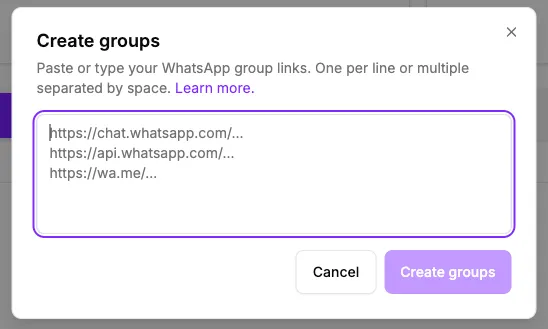
- For each group you want to include:
- Paste the WhatsApp invite link
- Give the group a name (for your internal organization)
- Enter how many people are already in the group (if you know)
- Click Create.
Repeat for as many groups as you want - there is no limit!
Test Your Link
Now that everything is configured:
- Copy the public link generated (ex:
https://redirecionazap.com/r/black-friday) in the redirectors list. - Copy the public link generated (e.g.,
https://redirecionazap.com/r/black-friday) from the redirectors list. - Open the link in a new browser tab.
- You will be automatically redirected to the first group with available slots.
That’s all you need to get started!
Recommended Next Steps
Now that your first redirector is working, consider these improvements:
- Understand distribution modes: Choose how leads are distributed for each use case
- Configure user limits: Define how many people can enter each group
- Activate trackers: Add pixel and analytics to track conversions
Need Help?
Our support team is ready to help via:
- Support WhatsApp
- Email through the Dashboard
You’re Ready
Your lead distribution system is active. Start using your link in:
- Your paid traffic ads
- Instagram bio
- Links in marketing emails
- Landing pages
The more groups you add, the more leads you can capture without changing your promotion link.