
WhatsApp Conversion Trackers
Following the path up to the moment someone joins a group helps you measure your campaign results. In Grupos Inteligentes, trackers are in each redirector’s Marketing tab.
Where to set them up
Section titled “Where to set them up”- Open the Redirectors menu.
- Click View on the redirector you want.
- Open the Marketing tab.
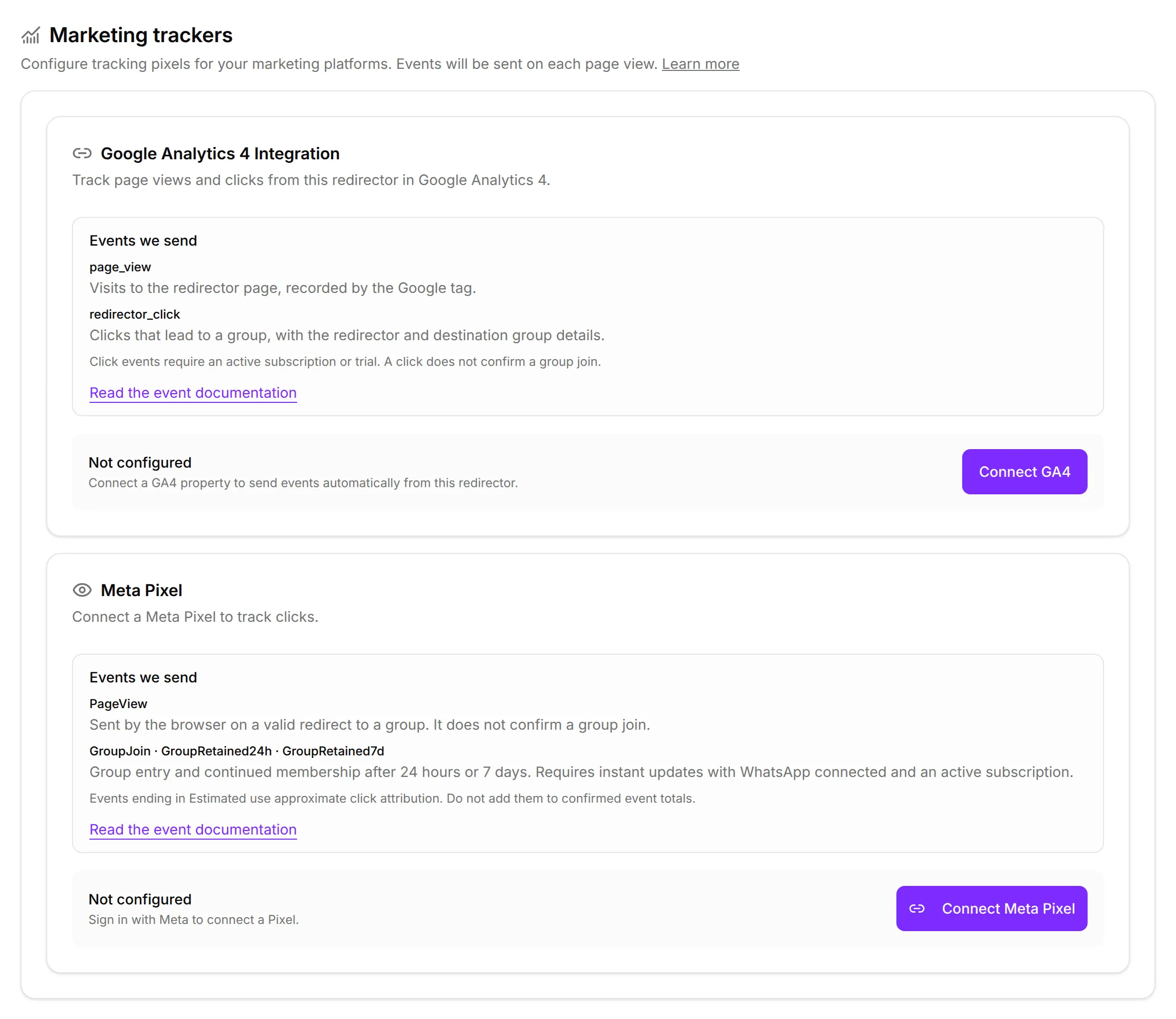
- Under Marketing trackers, click Connect GA4 or Connect Meta Pixel.
- Follow the steps to sign in to your account and choose the property or the pixel.
Trackers are available on every plan.
Available trackers
Section titled “Available trackers”- Google Analytics 4: sends clicks and visits to the redirect page to your GA4 property. See the GA4 step-by-step guide.
- Meta Pixel: sends events to the pixel you choose, such as visits, clicks, and group joins. See the Meta Pixel step-by-step guide.
Both connections use your Google or Facebook account. You don’t need to copy any code.
Tip: Each redirector has its own trackers. Connect them on every link you use in your ads.
If you used an older Facebook Pixel ID
Section titled “If you used an older Facebook Pixel ID”You could once type the Facebook Pixel ID by hand. If your redirector has that ID saved, it appears in the Facebook Pixel ID field, for reference only.
You will also see the notice You are using the manual Facebook Pixel ID. Click Go to Meta Pixel to connect through your Facebook account. The notice disappears after Meta Pixel is connected.
While the older ID is saved, visits to the redirect page keep going to it.
Fallback: what happens when groups fill up?
Section titled “Fallback: what happens when groups fill up?”To avoid losing paid traffic when every group is full, set up the redirector’s fallback.
Benefits of tracking
Section titled “Benefits of tracking”- Budget optimization: find out which ad is bringing people into your groups.
- Scalability: use the data to build lookalike audiences on Facebook.
- Complete reports: combine this data with our reports.